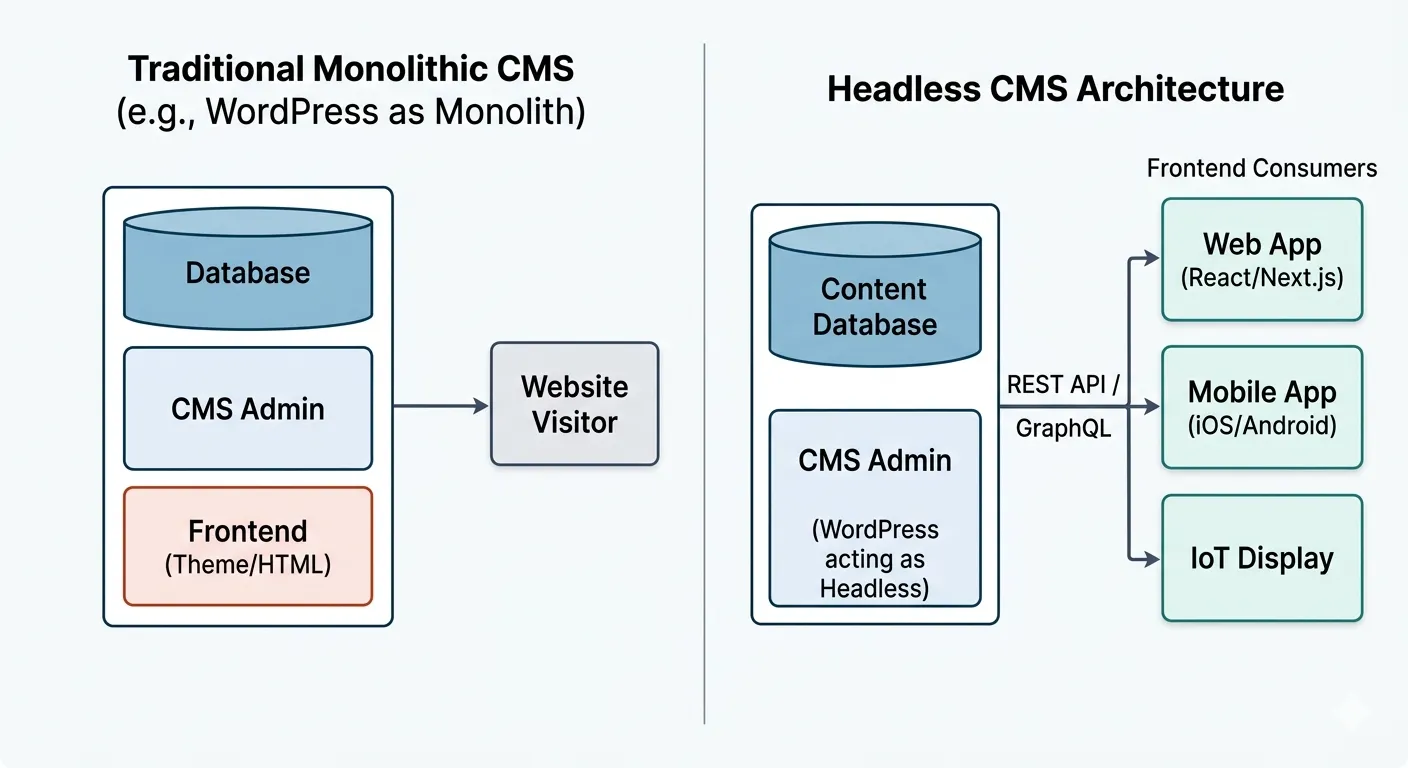
The way we build websites is undergoing a major shift. For years, traditional platforms like WordPress did everything in one place. They provided an all-in-one solution: a backend dashboard where you typed your text, and a "frontend" system that displayed that text to visitors.
But today, people don't just look at websites on laptops. They use smartphones, smartwatches, and smart TVs. This has pushed traditional website systems to their limits, giving rise to a new approach: the Headless CMS.
What is a "Headless" System?
Think of a traditional website setup like a restaurant where the kitchen (the backend data) and the dining room (the frontend design) are permanently attached. You can only serve food in that specific dining room.
In a Headless setup, we detach the two:
- The Body: The backend dashboard where you write and manage your content.
- The Head: The frontend display (the design the customer sees).
By cutting off the "head," your content is no longer locked into one specific website design. Instead, your backend sends out raw information through a digital delivery line called an API. This means your content can travel anywhere—to a standard website, a mobile app, or a digital billboard.
The Core Benefits
1. Better Security
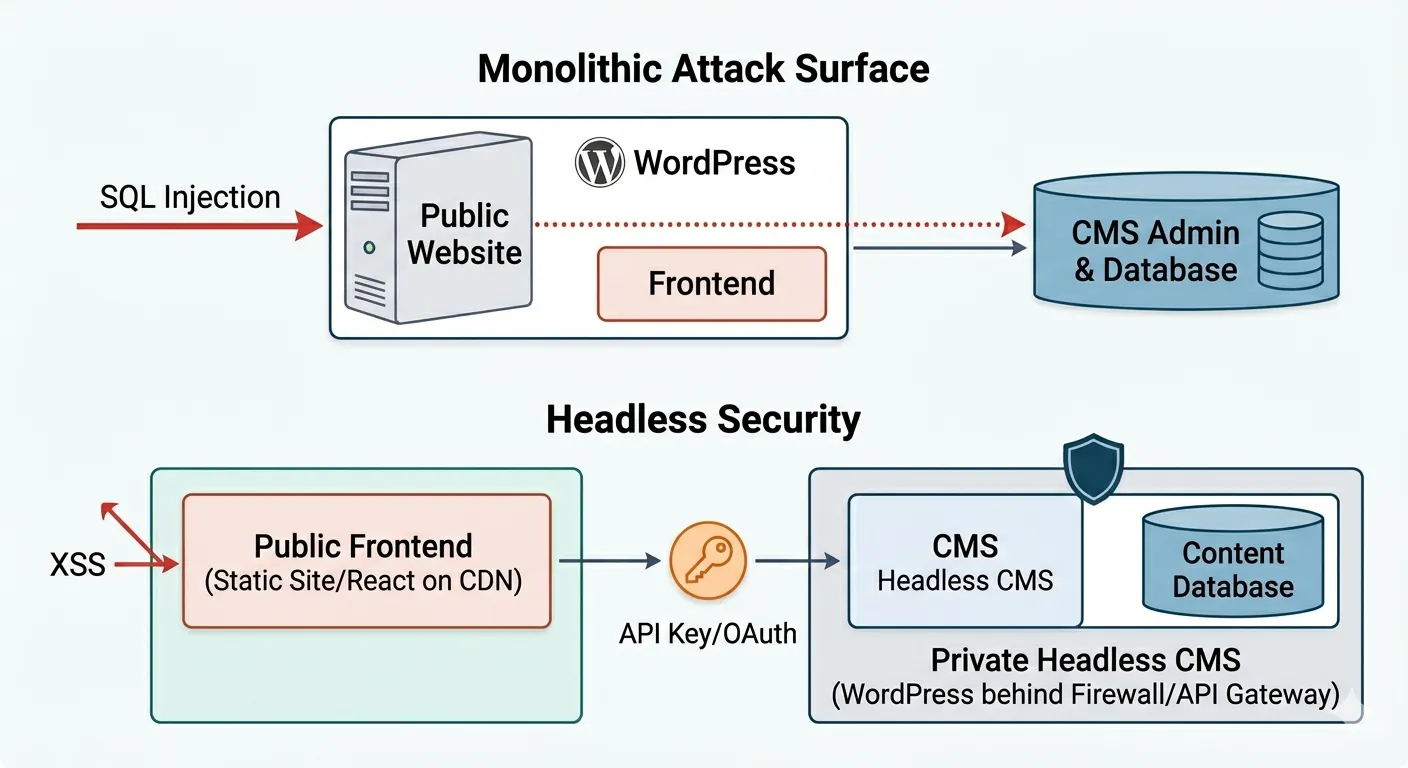
In a traditional setup, if a hacker breaks into your public website (for example, through a weak visual design plugin), they gain access to your entire system—including your private database.
With a headless setup, your public website and your private content dashboard live in entirely separate buildings. If someone attacks your public website, the threat is contained there. They cannot easily get to your private database because there is no direct connection.
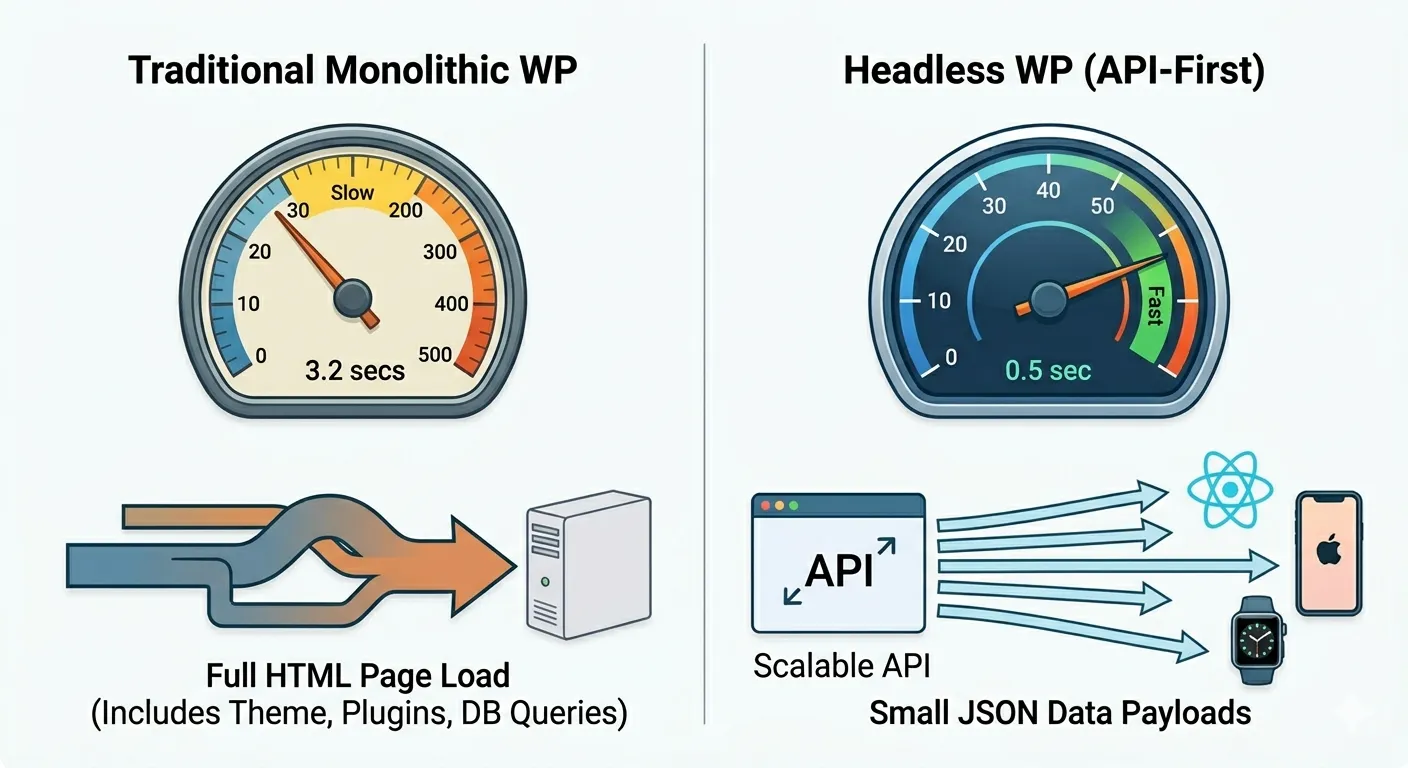
2. Faster Performance
Traditional websites act like a kitchen that cooks every meal completely from scratch the second a customer orders it, which can cause long wait times.
A headless setup allows your website pages to be pre-built and saved ahead of time. When a user clicks your link, the server just hands them a tiny package of data instantly. This makes your website load much faster, boosting your Google search rankings and keeping visitors happy.
Is Headless Right for Your Business?
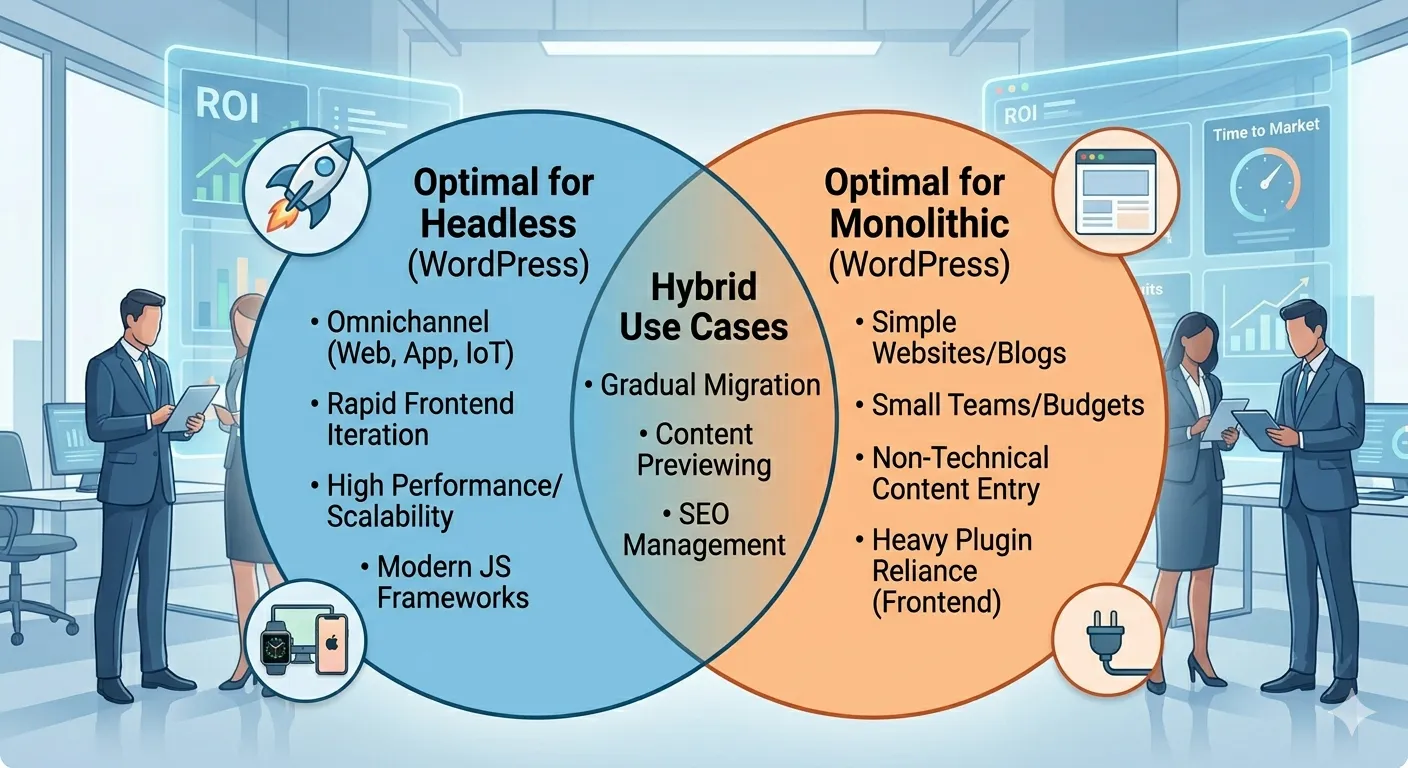
Going headless offers amazing flexibility, but it requires specialized developers to build the custom frontends. It is a strategic trade-off.
Example Scenario: Omnichannel Retailer
Imagine a store that sells shoes. If they use a traditional website, their product descriptions are stuck on that website. If they launch a mobile app, they have to type those descriptions all over again. With a headless setup, they write the description once. The main website, the iPhone app, and the smart screens in their physical store all pull from that same master file instantly.
Making the Choice
| Go Headless When... | Stay Traditional When... |
|---|---|
| You need your content to look perfect on websites, mobile apps, and other smart devices simultaneously. | You are building a straightforward website, standard company blog, or simple online shop. |
| You require maximum website speed and top-tier security. | You have a small team, a tight budget, or a fast deadline. |
| Your development team wants to use modern design frameworks. | You want to rely on standard WordPress plugins to manage how your site looks without writing code. |
The Bottom Line
Headless architecture separates your content from your design. While a traditional WordPress site is still perfect for straightforward projects, going headless gives growing businesses the ultimate speed, safety, and freedom to push content to any device on the market.